
By hostmysitenow March 18, 2026
The practice of directly updating a website from the live server results in unexpected downtimes, layout, and compatibility issues. Anything as minor as plugin updates, code changes, and even configuration modifications can cause problems if not tested prior. The owners use a staging site and safe deployment workflow to test implementations safely before moving to the production site.
This is why it’s important to set up a staging environment and a safe deployment process to manage a modern website. Many developers think that having a staging site is only true if you are hosting on the cloud or an advanced DevOps infrastructure.
A reliable staging environment is created using shared web hosting and basic tools such as subdomains, database clones, and file copies. This guide shows how to build a reliable staging environment and deploy updates safely without affecting the stability of the website.
Table of Contents
Why a Staging Site and Safe Deployment Workflow Matter?
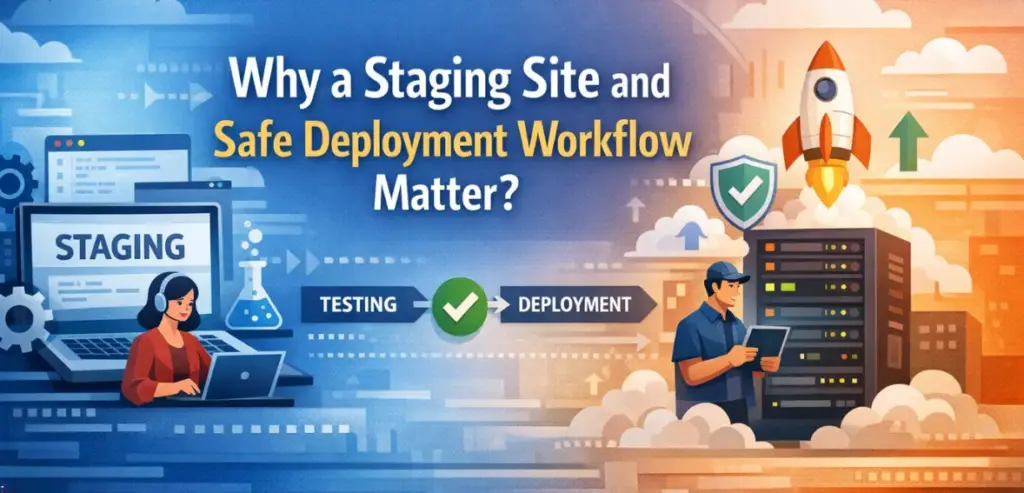
Deploying a website requires a staging site and safe deployment workflow to protect against unexpected errors that can occur during updates. The production site becomes vulnerable to a complete outage when developers implement changes. A minor error, such as a bad plugin installation, coding mistake, or system settings adjustment, results in website malfunctions and user experience disruptions.
The staging environment functions as a secure testing area that enables developers to evaluate updates before making them accessible to the general public. Implementing a staging site and an effective deployment process benefits by enhancing website management capabilities for operational reliability and efficiency.
Developers test new features, troubleshoot compatibility problems, and assess performance changes without impacting actual users. The method establishes a safe procedure that protects against all operational risks until the system transfers into active production use.
What Is a Staging Site?
A staging site functions as an identical copy of a live website, before showcasing it to the public. The staging environment creates a testing space that mimics the actual production environment so developers can identify the issues before they impact actual users. The staging site mirrors all website files, database structures, plugins, themes, and configurations that the live site uses.
It operates nearly the same way as the production environment. Developers operating with restricted resources can establish a staging site and safe deployment workflow that protects their website from potential dangers while using shared hosting services.
Challenges of Staging on Shared Hosting
Server-level access and advanced development tools may be limited within the realm of shared hosting. Both containerized environments and very complex DevOps pipelines are typically not available on shared hosting platforms. This is why it is compared to dedicated servers or cloud infrastructure.
Due to these limitations, it is often harder to build sophisticated staging environments on a shared hosting setup. For example, developers on shared hosting who use staging environments often need to rely on copying files, replicating databases, and managing separate sub-domains.
However, it is still possible to implement a staging site and safe deployment workflow with the tools typically found in most shared hosting control panels.
Creating a Staging Subdomain
The initial phase of constructing a staging environment requires the establishment of an independent subdomain. This is used for development and testing purposes. Most shared hosting providers allow their users to create subdomains through their hosting control panel. A staging subdomain might use formats such as staging.yoursite.com or dev.yoursite.com.
The development environment exists as a separate space that distinguishes itself from the live website through the use of a subdomain. The staging environment replicates the production website to operate on the same hosting infrastructure used by the actual website. The testing process enables the staging site and safe deployment workflow that demonstrates actual website behavior in the production environment.
Duplicating Website Files

The next step to creating a staging subdomain is to copy all the files from the live site into the staging directory. This can typically be done either through the hosting provider’s control panel’s file manager or FTP programs. The goal is to create an identical production of the website’s entire file structure, to be on the live site.
For WordPress sites, this means that it will also copy the core WordPress files, the plugins, themes, and the configuration files. For the WordPress staging site to be a successful replica of its live site, all files must be copied identically. After all website files are copied to the new subdomain, you will have an exact duplicate copy of the existing WordPress website codebase in the new WordPress staging site.
Cloning the Website Database

Databases are a crucial part of modern web development, as they store all of the content, settings, and information for a website. To create a staging site that accurately reflects the production version of the site, the database must be cloned. Database cloning typically involves exporting the live production database using tools like phpMyAdmin.
Once the database is cloned, the configuration files need to be updated for the staging site. Thus, the staging environment points to the newly created staging database instead of the live production instance. This step helps to operate as a separate entity from the live website while still having realistic data available for testing purposes.
Updating Website URLs
The production website URL remains unchanged because internal links and configuration settings continue to use it after users clone the record. The database requires an update because the site needs to operate with the staging domain instead of the live domain.
The staging environment should use staging.example.com as its reference when the live website operates from example.com. Its environment and production website experience no conflicts, as these URLs have been updated. The staging site and safe deployment workflow require these updates to function correctly to stop users from being redirected to the live site.
Preventing Search Engine Indexing
The first step to building a staging site and safe deployment workflow should include blocking search engines from indexing the environment. The staging site faces duplicate content penalties from search engines because of its existing content on other websites.
The public should not see features that staging sites need to complete. The easiest solution is to block search engines using robots.txt rules or password protection. The shared hosting environment of the staging area will be restricted, which permits access only to developers.
Testing Changes in the Staging Environment
When the staging environment has been fully set up, developers will be able to begin safely testing their updates. Typical testing procedures include verifying any updated existing plugins, evaluating the changes in themes, testing new features, and measuring any changes in performance.
As the staging site reflects the production environment, developers will be able to see the effect of their updates before deploying them to the production site. Having a good staging site and safe deployment workflow means that all changes are tested before being delivered to the users of the production site.
Implementing a Staging Site and Safe Deployment Workflow
The testing process needs additional work to reach completion. The developers require an organized system that enables them to transfer updates from staging to production environments in a secure manner. Development work starts when developers begin working in the staging environment.
They create backups after they finish testing so they can protect the live website before they start implementing updates. The website production undergoes another testing phase after deployment ends to verify its complete operational functionality. The staging site and safe deployment workflow for small websites minimizes unexpected failures while providing a system that allows for controlled software releases.
Deployment Methods for Shared Hosting
Shared hosting platforms provide a staging site and safe deployment workflow options, which depend on the website’s complexity and the developer’s technical knowledge. The simplest method involves manually copying updated files from the staging environment to the production server. The method operates successfully for small websites but needs monitoring to track all file modifications.
WordPress users often rely on specialized plugins that simplify deployments by synchronizing databases between staging and production environments. Git-based workflows can be used by advanced users to operate their websites through shared hosting. Git repositories create a website staging process, which enhances version control despite automation limitations from server restrictions.
Backup Strategies for Safe Deployment
Website deployment procedures need backups as their vital protection mechanism. Developers must create complete production website backups before they start their deployment work. The backup process needs to cover both website files and database data to protect the site from quick restoration deployment problems.
Automated backup tools provided by numerous shared hosting companies make the backup process easier for their customers. The website needs reliable backups to support its staging site and safe deployment workflow, for unexpected issues that may occur.
Common Deployment Mistakes
Sometimes, while using a staging environment, the developer creates an error that can lead to an unsafe deployment of the website.
The most common way this happens is when the developer goes directly onto the live site, bypasses it, and makes direct edits to the files. This removes the safety of the staging environment.
Another frequent mistake that occurs during an unsafe deployment is not having the database changes correctly replicated after deployment. Modern-day websites have their functionality built around the database structures. It is critical to ensure all of the updates are available before deployment.
Finally, cache conflicts can confuse the user after a deployment has been completed. In order to see the most recent updates after a deployment has taken place, it is important to clear the caches after the updates have been made.
Best Practices for Managing Staging Environments
The effective operation of a staging site and safe deployment workflow demands regular implementation of established operational procedures. Testing needs to use the current content and configuration settings, which leads to regular synchronization with the production site. Developers need exclusive access to the staging environment to protect against unintentional system changes.
The deployment workflow documentation for small websites establishes a standardized update procedure that should be followed during each update. It becomes most useful when development work on a shared project is conducted by multiple developers.
Conclusion
Establishing an appropriate staging site and safe deployment workflow is one of the best ways to defend against unplanned website failures. Even if you host via shared services, accessing the server’s environment is limited, but it still provides a solid staging location. Using sub-domains, replication, and cloning also allows developers to set up a solid database. Coupled with a solid and safe site deployment process, these things add significant protection to the website development activities.
While developing a small website or WordPress installation, setting up a solid prior website will ensure that updates are completely predictable, stable, and safe. Ultimately, investing in time to establish a stable staging site and safe deployment workflow enhances the stability of the website as well as its long-term maintainability.
FAQs
1. What is a staging site?
A staging site is an identical copy of a website that developers use to evaluate website updates and new features before they become available to end users.
2. Can shared hosting support staging environments?
Yes, a shared hosting environment can support staging by creating subdomains, which enable database duplication and website file replication.
3. Why is a staging site and safe deployment workflow important?
A staging site and safe deployment workflow protect against downtime and software defects by requiring complete testing of all updates before they enter the production environment.
4. How do WordPress staging sites work on shared hosting?
Establishing a WordPress staging site on shared hosting requires creating a staging subdomain. It will contain copied WordPress files and database content for testing purposes.
5. Should staging sites be visible to search engines?
Staging sites must prevent search engines from indexing their content, as this would create duplicate issues and allow unauthorized access to development environments.